
 Hyundai Equus: Head Up Display Unit Repair procedures
Second generation VI (2009–2026) / Hyundai Equus VI 2009-2026 Service Manual / Body Electrical System / Head Up Display System / Head Up Display Unit Repair procedures
Hyundai Equus: Head Up Display Unit Repair procedures
Second generation VI (2009–2026) / Hyundai Equus VI 2009-2026 Service Manual / Body Electrical System / Head Up Display System / Head Up Display Unit Repair procedures
Second generation VI (2009–2026) / Hyundai Equus VI 2009-2026 Service Manual / Body Electrical System / Head Up Display System / Head Up Display Unit Repair procedures
| Removal |
| 1. |
Disconnect the negative (-) battery terminal. |
| 2. |
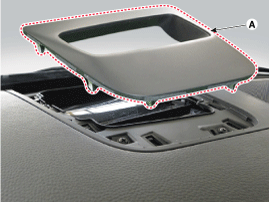
Remove the head up display bezel (A).
|
| 3. |
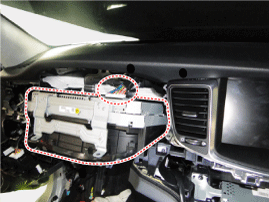
Remove the instrument cluster.
(Refer to Indicators And Guages - "Instrument Cluster")
|
| 4. |
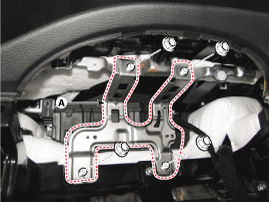
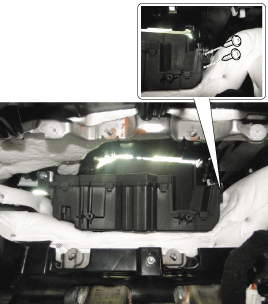
Remove the head up display unit bracket (A) after loosening ther mounting nuts.
|
| 5. |
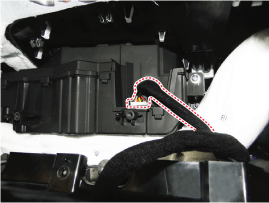
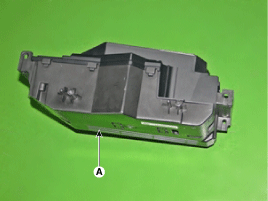
Remove the head up display unit (A).
|
| Installation |
| 1. |
Install the head up display unit. |
| 2. |
Install the head up display unit brackekt and instrumenet cluster. |
| 3. |
Install the head up display bezel. |
| 4. |
Connect the negative (-) battery terminal. |
 Head Up Display Unit Schematic Diagrams
Circuit Diagram
...

See also:
Knee Airbag (KAB) Module Components and Components Location
Components
...
Tire replacement
If the tire is worn evenly, a tread wear indicator will appear as a solid band
across the tread. This shows there is less than 1/16 inch (1.6 mm) of tread left
on the tire. Replace the tire when ...
Bulb wattage
...
Categories
Hyundai Equus Manuals

© 2011-2026 Copyright www.heqmanual.com