
 Hyundai Equus: Information Mode
Second generation VI (2009–2026) / Hyundai Equus 2009-2026 Owners Manual / Features of your vehicle / LCD Display / Information Mode
Hyundai Equus: Information Mode
Second generation VI (2009–2026) / Hyundai Equus 2009-2026 Owners Manual / Features of your vehicle / LCD Display / Information Mode
Service Interval
This mode shows the service interval (mileage and days).
❈ For the setting of the service interval, refer to "User Settings Mode" of the LCD display.
Service in
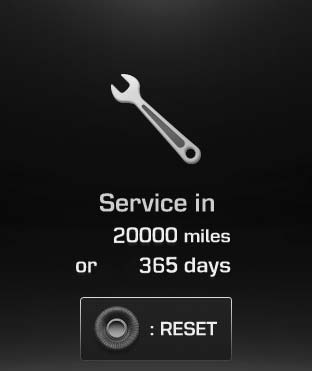
It calculates and displays when you need a scheduled maintenance service (mileage or days).
If the remaining mileage or time reaches 900 miles (1,500 km) or 30 days, "Service in" message is displayed for several seconds each time you set the Engine Start/Stop Button to the ON position.
Service required
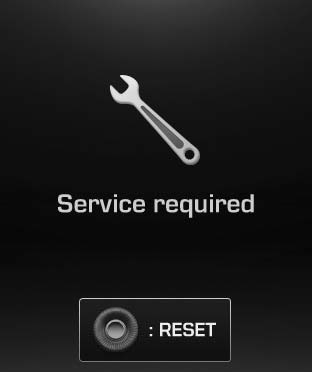
If you do not have your vehicle serviced according to the already inputted service interval, "Service required" message is displayed for several seconds each time you set the Engine Start/Stop Button to the ON position.
To reset the service interval to the mileage and days you inputted before:
- Press the OK button for more than 1 second.
Service in OFF
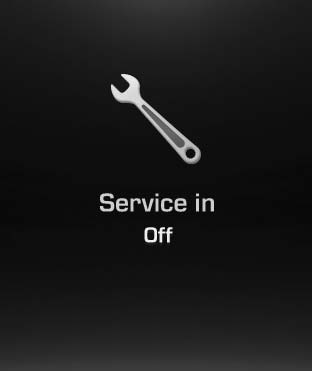
If the service interval is not set, "Service in OFF" message is displayed on the LCD display.
✽ NOTICE
If any of the following conditions occurs, the mileage and days may be incorrect.
- The battery cable is disconnected.
- The fuse switch is turned off.
- The battery is discharged.
Warning Message
If one of followings occurs, warning messages will be displayed on the information mode for about 10 seconds.
- Malfunction of the pre-safe seat belt, electronic control suspension, or advanced
smart cruise control system
- Low washer fluid
- Check fuel cap
 Turn By Turn (TBT) Mode (if equipped)
This mode displays the state of the navigation. ...
 User Settings Mode
HUD Settings (if equipped)
Display Height
Adjust the height of the HUD image on the windshield glass (Level 0 to 20).
Illumination
Adjust the intensity of the HUD illumination (Level 0 to 20). ...
See also:
Repair procedures
Removal
1.
Remove the front bumper cover.
(Refer to Body - "Front Bumper Cover")
2.
Remove the bolts and disconnect the horn connectors, then remove the high pitch horn (A) and low pitch horn ...
Tire specification and pressure label
The tires supplied on your new vehicle are chosen to provide the best performance
for normal driving.
The tire label located on the driver's side center pillar gives the tire pressures
re ...
Components and Components Location
Components
1. Cowl side trim2. Front door scuff trim3. Center pillar lower trim4. Rear door scuff trim5. Rear pillar trim6. Rear wheel house trim7. Rear package tray trim 8. Front pillar trim
...
Categories
Hyundai Equus Manuals
