
 Hyundai Equus: User Settings Mode
Second generation VI (2009–2026) / Hyundai Equus 2009-2026 Owners Manual / Features of your vehicle / LCD Display / User Settings Mode
Hyundai Equus: User Settings Mode
Second generation VI (2009–2026) / Hyundai Equus 2009-2026 Owners Manual / Features of your vehicle / LCD Display / User Settings Mode
HUD Settings (if equipped)
Display Height
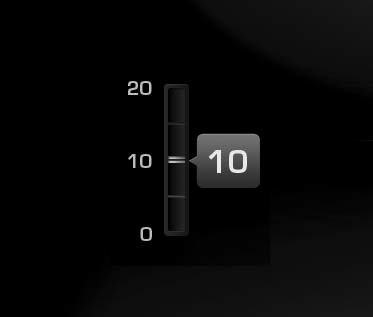
Adjust the height of the HUD image on the windshield glass (Level 0 to 20).
Illumination
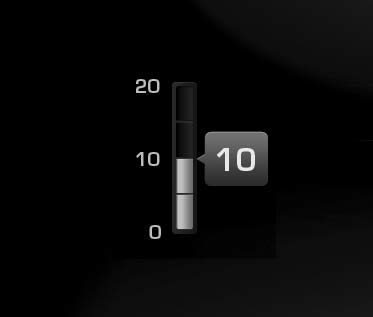
Adjust the intensity of the HUD illumination (Level 0 to 20).
Font Color
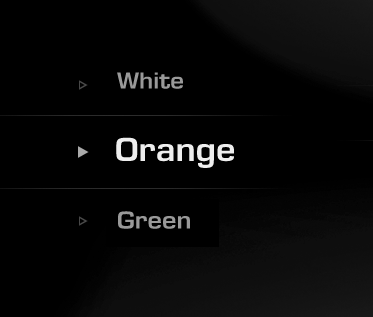
Choose the font color of the HUD (White, Orange, Green).
Font Size
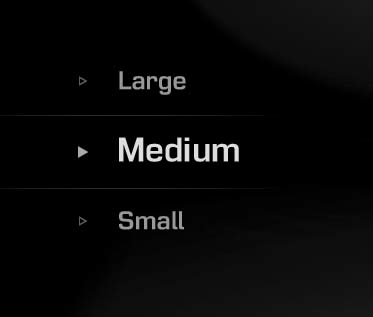
Choose the font size of the HUD (Large, Medium, Small).
Contents Setting (if equipped)
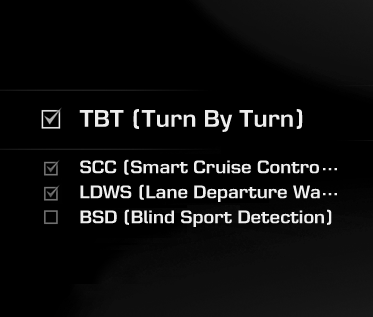
Activate or deactivate each contents of the HUD (TBT, SCC, LDWS, BSD).
❈ TBT : Turn By Turn
SCC : (Advanced) Smart Cruise Control
LDWS : Lane Departure Warning System
BSD : Blind Spot Detection
✽ NOTICE
If you select the Turn By Turn (TBT) navigation information as HUD contents, the Turn By Turn (TBT) navigation information will not be displayed on the LCD.
Vehicle Settings
On this mode, you can change setting of the instrument cluster, doors, lamps, and so on.
Cluster Settings
Welcome Sound
- On: The welcome sound will operate when the instrument cluster is turned on. • Off: The welcome sound function will be deactivated.
AVSM (if equipped)
- On: The AVSM system will be activated.
- Off: The AVSM system will be deactivated.
❈ For more details, refer to “Advanced Vehicle Safety Management (AVSM) Systemâ€� in chapter 5.
❈ AVSM: Advanced Vehicle Safety Management
LDWS Haptic (if equipped)
- On: The haptic function of the Lane Departure Warning System (LDWS) will be activated.
- Off: The haptic function of the Lane Departure Warning System (LDWS) will be deactivated.
❈ For more details, refer to “Lane Departure Warning System (LDWS)â€� in chapter 5.
Traffic Information (if equipped)
- On: The LCD display will show traffic information.
- Off: The LCD display will not show traffic information.
Speedometer Size (if equipped)
- Choose the size of the number in the speedometer (Large or Normal).
Driving Mode Theme (if equipped)
- On : The instrument cluster theme is automatically changed in accordance with the drive mode (NORMAL, SPORT, SNOW).
- Off : The automatic change function of the instrument cluster theme will be deactivated
ECO Driving
- On : The ECO driving mode will be activated.
- Off : The ECO driving mode will be deactivated.
AVG Fuel Eco Reset
- Auto Reset: The average fuel economy will reset automatically when refueling.
- Manual Reset: The average fuel economy will not reset automatically when refueling.
❈ For more details, refer to “Trip Computerâ€� in this chapter.
Door
Auto Door Lock
- Off: The auto door lock operation will be deactivated.
- Speed: All doors will be automatically locked when the vehicle speed exceeds 9.3mph (15km/h).
- Shift Lever: All doors will be automatically locked if the automatic transmission shift lever is shifted from the P (Park) position to the R (Reverse), N (Neutral), or D (Drive) position.
Auto Door Unlock
- Off: The auto door unlock operation will be canceled.
- Power Off: All doors will be automatically unlocked when the Engine Star/Stop Button is set to the OFF position.
- Shift Lever: All doors will be automatically unlocked if the automatic transmission shift lever is shifted to the P (Park) position.
- Driver Door Unlock: All doors will be automatically unlocked if the driver's door is unlocked.
Lamp
Head Lamp Delay
- On: The head lamp delay function will be activated.
- Off: The headlamp delay function will be deactivated.
❈ For more details, refer to “Lightingâ€� in this chapter.
Welcome Light
- On: The welcome light function will be activated.
- Off: The welcome light function will be deactivated.
❈ For more details, refer to “Welcome Systemâ€� in this chapter.
One Touch Turn Lamp
- Off: The one touch turn lamp function will be deactivated.
- 3, 5, 7 Flashing : The lane change signals will blink 3, 5, or 7 times when the turn signal lever is moved slightly.
❈ For more details, refer to “Lightingâ€� in this chapter.
Driver Convenience
Seat Easy Access
- Off: The seat easy access function will be deactivated.
- Normal/Enhanced:
- When you turn off the engine, the driver’s seat will automatically move rearward
by 2 inch (Normal) or 3 inch (Enhanced) for you to enter or exit the vehicle more
comfortably.
- If you change the Engine Start/Stop Button from OFF position to the ACC, ON, or
START position, the driver’s seat will return to the original position.
❈ For more details, refer to “Driver Position Memory Systemâ€� in chapter 4.
Steering Easy Access
- On: The steering wheel will automatically move forward or rearward for the driver to enter or exit the vehicle comfortably.
- Off: The steering easy access function will be deactivated.
❈ For more details, refer to “Driver Position Memory Systemâ€� in chapter 4.
Haptic Steering System Switch (if equipped)
Adjust the rotating effort of the haptic switch on the steering wheel for LCD display control (Strong, Normal, Mild).
❈ For the haptic switch, refer to "LCD Display Control" in this chapter.
Service Interval
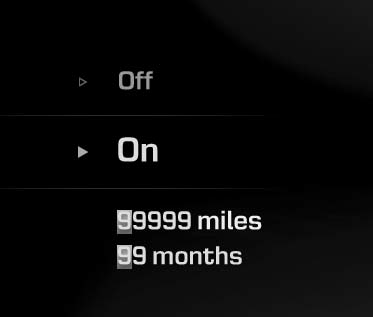
On this mode, you can activate the service interval function with mileage (km or mi.) and period (months).
- Off : The service interval function will be deactivated.
- On :You can set the service interval (mileage and months).
Quick Guide (if equipped)
This mode provides quick guides for the Head Up Display (HUD), Blind Spot Detection (BSD) System, Smart Cruise Control (SCC) System, Lane Departure Warning System (LDWS), and so on.
For the details of each system, refer to the owner’s manual.
 Information Mode
Service Interval
This mode shows the service interval (mileage and days).
❈ For the setting of the service interval, refer to "User Settings Mode" of
the LCD display.
Service in
...
 Warning Messages
Shift to "P" or "N" to start engine
This warning message illuminates if you try to start the engine with the
shift lever not in the P (Park) or N (Neutral) position.
&# ...
See also:
Checking the brake fluid level
Check the fluid level in the reservoir periodically. The fluid level should be
between MAX and MIN marks on the side of the reservoir.
Before removing the reservoir cap and adding brake fluid, ...
Rear Seat Belt Retractor Components and Components Location
Component Location
1. Rear seat belt retractor
...
Cruise Control Switch Schematic Diagrams
Circuit Diagram
...
Categories
Hyundai Equus Manuals
